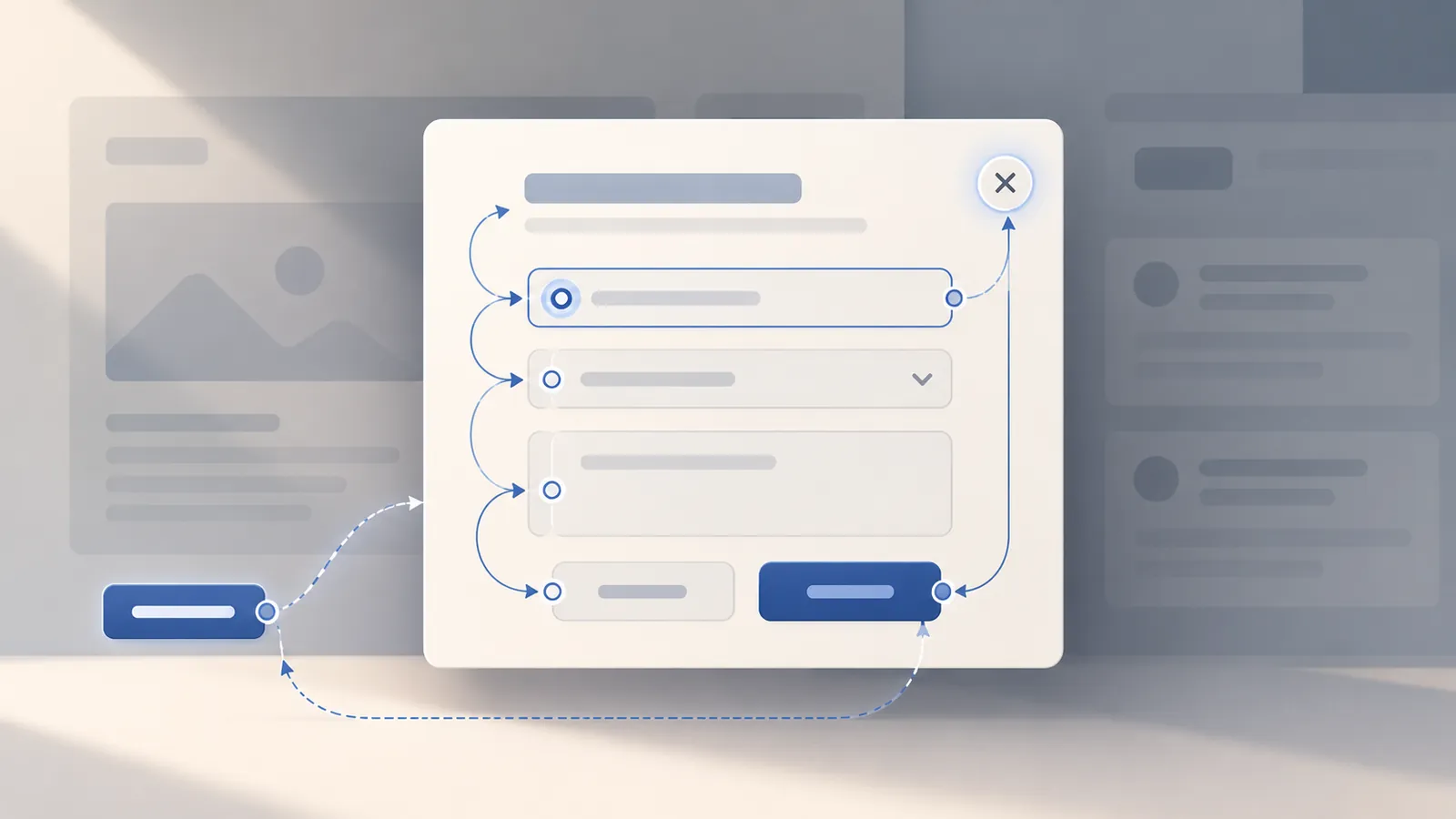
You open a confirmation modal with the keyboard, press Tab, and find yourself interacting with the page behind it. Or you press Escape, the panel disappears, and focus lands somewhere you cannot see.
Neither failure is solved by adding aria-modal="true" to a div. A modal needs a focus contract: an intentional entry point, a contained keyboard sequence while open, a predictable way out, and a logical destination afterward.
This article implements one specific case—a confirmation dialog for archiving a report—and checks that contract in a browser. The interesting edge case is not opening the dialog. It is closing it after the action disables the button that originally opened it.
Start with the browser's modal behavior
A modal is not just a box with a dark backdrop. The WAI-ARIA Authoring Practices modal dialog pattern expects the background to be inert, Tab and Shift+Tab to remain inside the dialog, Escape to close it, and focus to move to a sensible place after closing.
For a modern React application, start with an actual HTML <dialog> and call showModal(). That puts the element in the browser's top layer and makes the rest of its containing document inert. A modal <dialog> also exposes the appropriate dialog semantics, including implicit aria-modal="true". Using dialog.show() or rendering <dialog open> does not provide the same modal behavior. See MDN's showModal reference and dialog accessibility guidance.
That is a reason to avoid reinventing background inertness with global aria-hidden toggles. It is not a reason to skip keyboard testing. Focus placement, the complete tab sequence, and the state of the opener after an action still deserve explicit checks.
A React confirmation dialog with a defined focus destination
This example is a client component. It keeps the dialog mounted, opens it imperatively, and lets the browser handle Escape. The two possible exits have different focus destinations:
- Cancel or Escape: return to Archive report, because the task is unfinished and the button remains usable.
- Archive: disable that button and focus the persistent Report archived heading. Sending focus back to a disabled control—or silently to the document body—would lose the user's position.
The only tab-loop code is deliberately scoped to the two fixed action buttons in this example. It is not a general focus-trap utility for a dialog containing dynamic inputs, portals, or nested menus.
'use client'

import { useId, useRef, useState, type KeyboardEvent } from 'react'

export function ArchiveReport() {
  const [archived, setArchived] = useState(false)
  const dialogRef = useRef<HTMLDialogElement>(null)
  const openerRef = useRef<HTMLButtonElement>(null)
  const statusRef = useRef<HTMLHeadingElement>(null)
  const cancelRef = useRef<HTMLButtonElement>(null)
  const confirmRef = useRef<HTMLButtonElement>(null)
  const titleId = useId()
  const descriptionId = useId()

  function restoreFocus() {
    const opener = openerRef.current
    if (opener?.isConnected && !opener.disabled) opener.focus()
    else statusRef.current?.focus()
  }

  function containTab(event: KeyboardEvent<HTMLDialogElement>) {
    if (event.key !== 'Tab') return

    if (event.shiftKey && document.activeElement === cancelRef.current) {
      event.preventDefault()
      confirmRef.current?.focus()
    } else if (!event.shiftKey && document.activeElement === confirmRef.current) {
      event.preventDefault()
      cancelRef.current?.focus()
    }
  }

  function archive() {
    setArchived(true)
    dialogRef.current?.close()
  }

  return (
    <section>
      <h2 ref={statusRef} tabIndex={-1}>
        {archived ? 'Report archived' : 'Report ready'}
      </h2>
      <button
        ref={openerRef}
        type="button"
        disabled={archived}
        onClick={() => dialogRef.current?.showModal()}
      >
        Archive report
      </button>

      <dialog
        ref={dialogRef}
        aria-labelledby={titleId}
        aria-describedby={descriptionId}
        onKeyDown={containTab}
        onClose={restoreFocus}
      >
        <h3 id={titleId}>Archive this report?</h3>
        <p id={descriptionId}>You can restore it later.</p>
        <button
          ref={cancelRef}
          type="button"
          autoFocus
          onClick={() => dialogRef.current?.close()}
        >
          Cancel
        </button>
        <button ref={confirmRef} type="button" onClick={archive}>
          Archive
        </button>
      </dialog>
    </section>
  )
}
This is a focused example of modal mechanics, not a persistence implementation: archive() only updates component state. A real archive operation also needs an API result, a pending state, and an error path. Do not dismiss the dialog as successfully archived before a required server operation has actually succeeded.
Why these details matter
aria-labelledby gives the dialog a name through its visible heading. The short, single-paragraph explanation is suitable for aria-describedby; for long, structured content the APG recommends a different initial-focus and description strategy, often focusing a static heading with tabIndex={-1} and omitting aria-describedby.
autoFocus puts initial focus on Cancel, the less destructive choice. The visible button also gives users a way to close the dialog without knowing the Escape key. The browser raises the dialog's close event after either close() or the default Escape dismissal; onClose handles focus restoration in one place. See MDN: close().
The conditional return destination is essential. Returning focus to the original opener is a good default only while the opener still exists and can be used. If the action removed a card, disabled its button, or moved the workflow to a new item, return focus to the next meaningful heading or control instead. This is an explicit exception in the APG focus-return guidance.
You should also style the dialog's backdrop and preserve a clear focus indicator. The browser handles neither your visual hierarchy nor the suitability of your colors:
dialog {
  max-width: min(28rem, calc(100vw - 2rem));
  border: 1px solid #9ca3af;
  border-radius: 0.75rem;
  padding: 1.5rem;
}
dialog::backdrop { background: rgb(15 23 42 / 0.58); }
dialog :focus-visible,
h2[tabindex="-1"]:focus { outline: 3px solid #2563eb; outline-offset: 3px; }
The tab boundary is where assumptions fail
It is tempting to assume that showModal() means every browser engine in every version will wrap keyboard focus exactly the same way. In the isolated Chromium 144.0.7559.96 reproduction used for this article, opening a native modal did focus Cancel and make the background inert. But pressing Shift+Tab from the first button could temporarily leave document.activeElement pointing at body, while the modal remained open. That observation is specific to this runner; it is not a claim that all native dialogs leak focus to interactive background controls.
For this two-button confirmation, containTab() explicitly handles both boundaries: Shift+Tab from Cancel goes to Archive, and Tab from Archive returns to Cancel. It leaves other key presses and normal movement between the two buttons alone. That is why the exact focusable controls are represented by refs instead of using a complicated selector for every possible focusable element.
Do not copy this handler into a large dynamic form and call it a complete trap. New links, disabled controls, nested popovers, and conditionally rendered fields change which element is first or last. Either test and maintain that complete tab-order contract or use a well-maintained dialog primitive designed for those cases.
Also distinguish keyboard focus containment from background inertness: a gray backdrop does not prevent pointer or keyboard interaction with background elements. The modal showModal() operation supplies that inertness within the document, independently of the small Tab boundary handler.
Test the focus contract, not just whether the box is visible
A unit test that only checks dialog.open === true misses most of the behavior. Here is a Playwright test shape for an application route where the React component is mounted. Replace /reports with your real route:
import { test, expect } from '@playwright/test'

test('contains focus and restores it after Escape', async ({ page }) => {
  await page.goto('/reports')

  const opener = page.getByRole('button', { name: 'Archive report' })
  await opener.focus()
  await page.keyboard.press('Enter')

  const dialog = page.getByRole('dialog', { name: 'Archive this report?' })
  await expect(dialog).toBeVisible()

  const cancel = dialog.getByRole('button', { name: 'Cancel' })
  const confirm = dialog.getByRole('button', { name: 'Archive', exact: true })
  await expect(cancel).toBeFocused()

  await page.keyboard.press('Shift+Tab')
  await expect(confirm).toBeFocused()
  await page.keyboard.press('Tab')
  await expect(cancel).toBeFocused()

  await page.keyboard.press('Escape')
  await expect(dialog).toBeHidden()
  await expect(opener).toBeFocused()
})

test('archives and focuses a persistent result', async ({ page }) => {
  await page.goto('/reports')
  await page.getByRole('button', { name: 'Archive report' }).click()
  await page.getByRole('dialog', { name: 'Archive this report?' })
    .getByRole('button', { name: 'Archive', exact: true }).click()

  await expect(page.getByRole('button', { name: 'Archive report' }))
    .toBeDisabled()
  await expect(page.getByRole('heading', { name: 'Report archived' }))
    .toBeFocused()
})
Use getByRole('dialog') for an HTML <dialog>. Playwright's page.on('dialog') event is for JavaScript alert(), confirm() and prompt() dialogs, not this HTML element.
These tests use an illustrative /reports route and were not run against this portfolio. However, the article's React component was mounted in a separate React/Vite test app on Windows: TypeScript checking succeeded and four Playwright Chromium tests passed (keyboard entry/Tab/Escape, Cancel return focus, confirmation focus fallback, narrow viewport). The reproduction is retained under docs/editorial/reproductions/accessible-modal-focus/react-harness/ in the portfolio repository; it is not presented as a public download. Its dependencies are isolated from the portfolio application.
For real regression coverage, run the tests in each supported browser engine and add manual keyboard and screen-reader checks. Automated focus assertions cannot tell you whether the announcement is useful, whether the focused element is visible after scrolling, or whether the interaction makes sense with assistive technology.
What the browser reproduction actually showed
An isolated Python Playwright browser script ran against the standalone HTML equivalent, using Chromium 144.0.7559.96. After adding the two-button Tab boundary guard, the following checks passed:
| Check | Observed result |
|---|---|
| Open by keyboard | Named dialog visible; initial focus on Cancel |
| Shift+Tab from Cancel; Tab from Archive | Focus stays in the two action buttons |
| Attempt to focus an outside button | Outside button cannot take focus while modal is open |
| Escape | Modal closes; focus returns to Archive report |
| Cancel button | Modal closes; focus returns to Archive report |
| Confirm archive | Trigger becomes disabled; focus lands on Report archived |
These fixture observations are from one headless Chromium version; the separate Windows React/Playwright run also passed its four tests. Neither constitutes cross-browser or screen-reader coverage, a WCAG conformance audit, or verification of a real backend archive request. The example changes local state only, so it does not establish what happens under server latency or failure.
Before shipping a modal
Check the sequence from a keyboard user's perspective: can they open it without a pointer, identify its purpose, reach every action in a sensible order, dismiss it, and continue from a meaningful place afterward? Try both cancellation and completion—they need not have the same focus destination.
For this simple confirmation, native <dialog> removes much of the modal plumbing. The engineering work that remains is deciding which element should receive focus, guarding the actual keyboard boundary you support, and verifying the post-action workflow rather than assuming focus always goes back to an unchanged button.