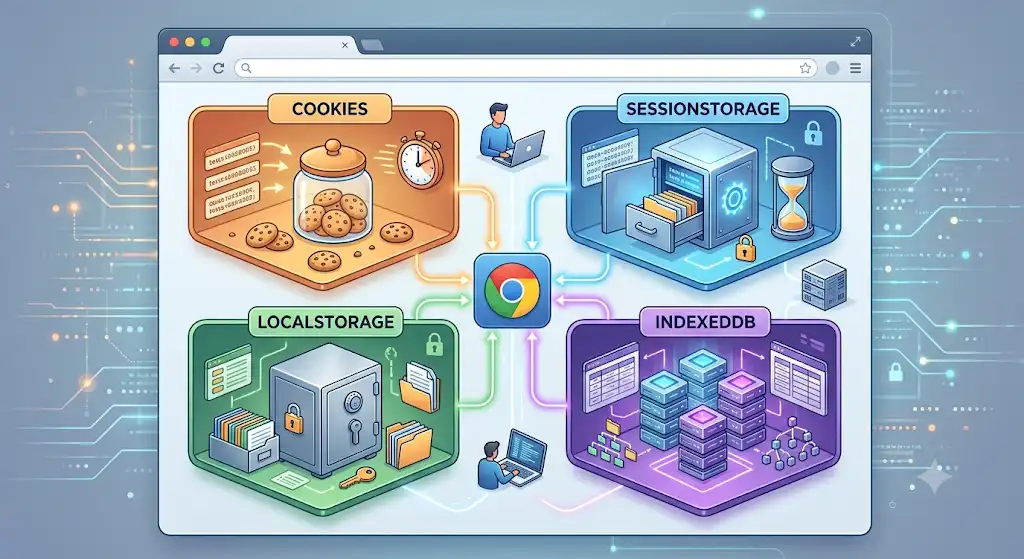
As modern web applications grow increasingly complex, managing state and persisting data on the client side has become a fundamental architectural challenge. Long gone are the days when the browser was merely a stateless renderer for server-side templates. Today, frontend applications act as fully realized environments running within a browser sandbox, handling everything from real-time rendering states to offline-first synchronization.
Choosing the wrong client-side storage mechanism can trigger an array of cascading issues, from severe security vulnerabilities like Cross-Site Scripting (XSS) to critical performance bottlenecks that directly hurt your Google Web Vitals metrics. If your main thread is blocked by heavy, synchronous data operations, or if your network payload is bloated with unnecessary bytes, your user experience will suffer.
In this comprehensive guide, we will break down the four pillars of browser storage: Cookies, LocalStorage, SessionStorage, and IndexedDB. We will look at their inner workings, performance boundaries, security trade-offs, and exactly when to use each to build fast, secure, and resilient web applications.
1. HTTP Cookies: The Network-Bound Legacy
Cookies are the oldest form of client-side storage, originally designed to solve a core limitation of the web: the fact that HTTP is entirely stateless. When you need to remember a user across multiple page requests, cookies provide the foundational link.
The defining characteristic of cookies is their relationship with the server. Unlike the Web Storage API, cookies are automatically appended to every single HTTP request made to the issuing domain via the Cookie request header. This makes them unique because the server can actively read and even write them via the Set-Cookie response header.
Key Technical Constraints
- Capacity: Extremely limited—roughly 4KB per domain. Trying to save more will cause the browser to silently reject the data or overwrite older entries.
- Performance Impact: High network overhead. If you store 4KB of cookies, every API request, image download, and CSS asset retrieval carries an extra 4KB data payload. This can severely slow down asset loading, adding lag to how the browser processes the page layout.
- Synchronicity: Synchronous, meaning reading and writing operations execute on the main thread, blocking other tasks until completion.
Code Pattern
Reading and writing cookies using vanilla JavaScript is notoriously clunky, relying on parsing a single semicolon-separated string through document.cookie:
// Writing a secure cookie with custom attributes
document.cookie = "session_token=xyz123; max-age=3600; path=/; secure; samesite=strict";

// Reading cookies requires manual parsing logic
const cookies = document.cookie.split(';').reduce((acc, cookie) => {
  const [key, value] = cookie.trim().split('=');
  acc[key] = value;
  return acc;
}, {});

console.log(cookies.session_token); // Outputs: xyz123
Security Considerations
Because cookies are automatically sent with requests, they are highly vulnerable to Cross-Site Request Forgery (CSRF) attacks. To protect sensitive information like authentication tokens, you must leverage security flags:
HttpOnly: Prevents client-side JavaScript from reading the cookie, neutralizing standard XSS data theft.Secure: Ensures the cookie is only transmitted over encrypted HTTPS connections.SameSite=StrictorSameSite=Lax: Restricts the cookie from being sent along with third-party cross-site requests, blocking CSRF vectors.
2. LocalStorage: The Persistent Workhorse
Introduced with HTML5, LocalStorage belongs to the Web Storage API specification. It was explicitly created to provide a high-capacity, client-only alternative to cookies. Data stored here lives purely in the browser environment and is never sent to your backend server automatically.
Key Technical Constraints
- Capacity: Roughly 5MB to 10MB depending on the specific browser implementation.
- Lifespan: Permanent. Data persists indefinitely until explicitly deleted by code or cleared manually by the user clearing their browser cache. Closing the browser, shutting down the tab, or rebooting the machine does not erase it.
- Synchronicity: Strictly synchronous. Reading or writing massive chunks of stringified JSON objects can cause noticeable stuttering on the main thread, which can degrade user interaction scores.
Code Pattern
The Web Storage API provides a clean, modern, and developer-friendly interface:
// Storing data (values must be transformed into strings)
const userPreference = { theme: 'dark', layout: 'grid' };
localStorage.setItem('user_settings', JSON.stringify(userPreference));

// Retrieving data
const rawData = localStorage.getItem('user_settings');
const settings = rawData ? JSON.parse(rawData) : null;

// Removing an item cleanly
localStorage.removeItem('user_settings');
Security Risks
LocalStorage has no built-in security features. Any JavaScript running on your origin can access everything inside it. If an attacker successfully executes an XSS exploit on your site, they can easily scrape your entire local storage database. Therefore, never store JWTs, access tokens, or sensitive personal details here. If an application experiences hydration mismatches due to reading local storage too early during Server-Side Rendering (SSR), it can also cause broken user interfaces.
3. SessionStorage: The Tab-Isolated Twin
SessionStorage shares an identical API syntax and storage capacity with LocalStorage. However, its behavioral lifecycle is radically different, constrained entirely by the individual browser tab session.
Key Technical Constraints
- Capacity: Matching local storage at roughly 5MB.
- Lifespan: Bound to the browser tab lifecycle. The data survives page refreshes, but the moment the user closes that specific browser tab, the storage container is completely purged.
- Tab Isolation: Unlike
LocalStorage, which shares data across multiple windows and tabs under the same origin,SessionStorageis isolated strictly to the individual tab that created it. Opening the same URL in a new tab creates a completely fresh session instance.
Code Pattern
// Storing transactional or temporary data
sessionStorage.setItem('current_wizard_step', '2');

// Retrieving state seamlessly
const currentStep = sessionStorage.getItem('current_wizard_step');
Primary Use Case
SessionStorage is the ideal tool for preserving single-session application state. For example, tracking multi-step checkout funnels, preserving form data inputs across a sudden page refresh, or handling temporary page states that shouldn't leak across cloned tabs. This is incredibly helpful for reducing cognitive load in user interfaces by remembering where a user left off during a single sitting.
4. IndexedDB: The High-Performance Heavyweight
When your application requires storing massive datasets, working with binary blobs, or building sophisticated offline capabilities, the Web Storage API hits an immediate wall. That is where IndexedDB enters the picture.
IndexedDB is a full-fledged, transactional, object-oriented database running natively inside the browser sandbox. It allows you to create indexes, perform complex queries, and manage transactional integrity asynchronously.
Key Technical Constraints
- Capacity: Virtual freedom. It can typically utilize up to 50% of the user’s available free disk space, making it highly scalable.
- Lifespan: Permanent, operating under browser-managed storage eviction policies when a device runs critically low on space.
- Synchronicity: Fully asynchronous. Operations rely on events or promises, meaning large database writes won't interrupt the main thread. This avoids causing problems with frame rates or blocking user input, keeping your application smooth.
Code Pattern
Working with raw IndexedDB is notoriously low-level and event-driven. In production environments, developers universally use lightweight wrappers like Dexie.js or localForage. Here is a brief look at the native structural paradigm:
const request = indexedDB.open('AppDatabase', 1);

request.onupgradeneeded = (event) => {
  const db = event.target.result;
  db.createObjectStore('products', { keyPath: 'id' });
};

request.onsuccess = (event) => {
  const db = event.target.result;
  const transaction = db.transaction('products', 'readwrite');
  const store = transaction.objectStore('products');

  store.put({ id: 'p101', name: 'Premium Mechanical Keyboard', price: 149 });
};
Primary Use Case
IndexedDB is the primary engine behind modern Progressive Web Apps (PWAs). Use it for storing large synchronized remote data pools, caching user-generated assets, managing offline-first draft synchronizations, or handling application asset caches that would instantly crash local storage boundaries.
The Strategic Comparison Matrix
| Storage Mechanism | Capacity Limit | Lifespan Lifecycle | Access Context | Performance Profile |
|---|---|---|---|---|
| Cookies | ~4KB | Explicitly Defined / Session | Server & Client | Network Blocking / Overhead |
| LocalStorage | ~5MB - 10MB | Indefinite | Client Only | Synchronous Main-Thread Blocking |
| SessionStorage | ~5MB | Tab Closure Purge | Client Only | Synchronous Main-Thread Blocking |
| IndexedDB | Disk Dependent | Indefinite | Client Only | Asynchronous Non-Blocking |
Architectural Decision Tree: When to Use What?
To keep your application both optimized and structurally clean, follow this strategic prioritization tree:
- Is the data required by the server for authentication?
- Yes: Use a Secure, HttpOnly, SameSite Cookie to defend against session hijacking.
- Is it non-sensitive configuration data (e.g., UI themes, layouts)?
- Yes: Use LocalStorage for frictionless persistence.
- Is it ephemeral layout state specific to a single user journey?
- Yes: Use SessionStorage to isolate the experience to the current tab.
- Are you building a PWA, storing large media blobs, or offline-first sync caches?
- Yes: Use IndexedDB to handle data scaling without blocking performance.
Conclusion
Mastering browser storage is all about selecting the right tool for the job while respecting the limitations of the web platform. Over-relying on heavy cookies degrades your network speed, while blindly packing confidential data into local storage introduces immediate security exposures.
By evaluating data according to its security needs, capacity size, and structural lifecycle, you can create robust, highly optimized web architectures. This careful alignment ensures your web applications load instantly, run flawlessly, and maintain a highly secure profile under all real-world conditions.