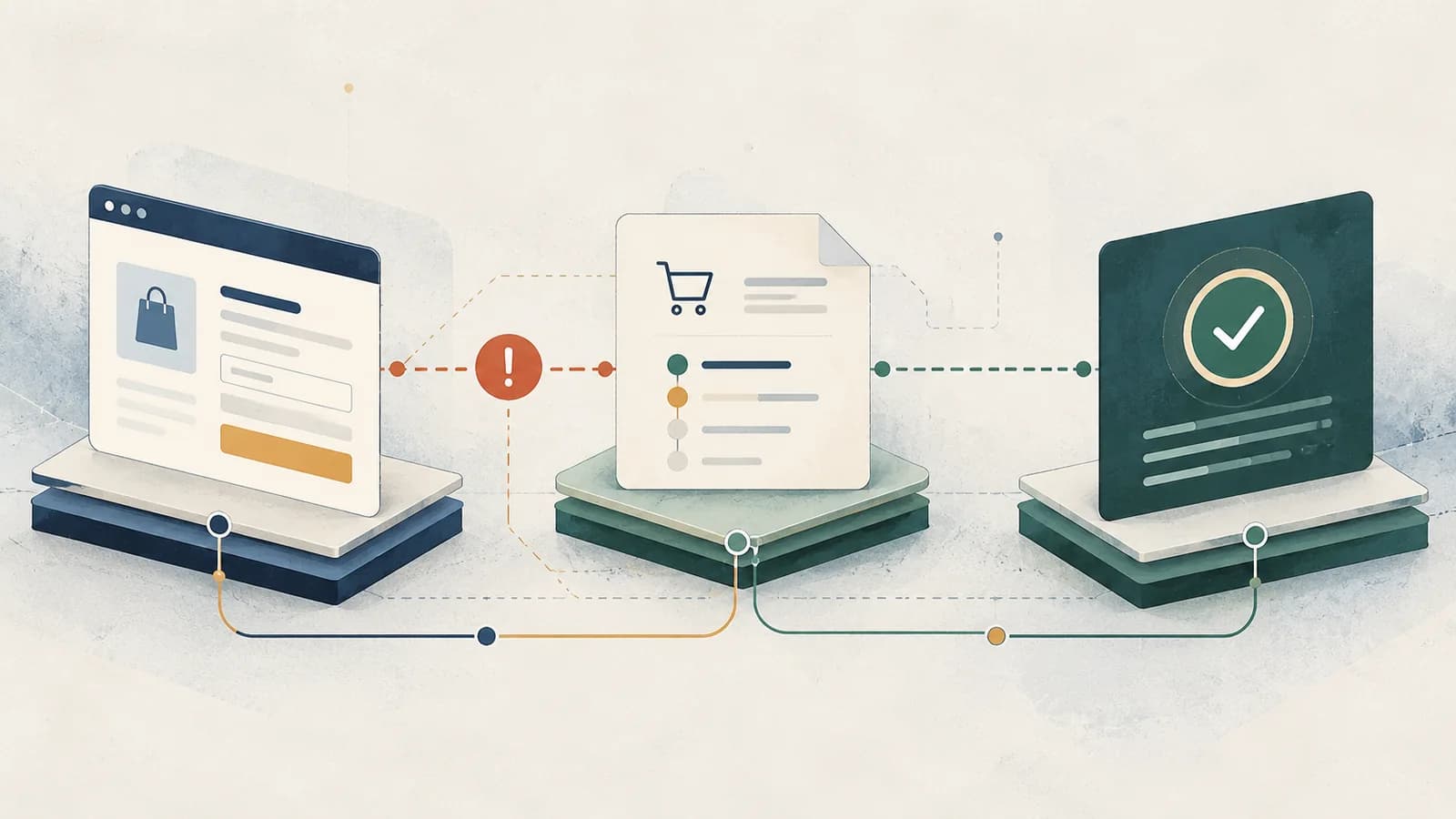
A shopper clicks Place Order. The button keeps spinning, or the page shows a payment error. Did the card fail? Was an order created? Can the shopper safely try again?
You cannot answer those questions from the spinner alone. A checkout error in the browser is not proof that the payment provider rejected a charge. Before resubmitting or changing an order status, reconcile three different records: the browser request, the WooCommerce order, and the payment provider's transaction.
This guide focuses on WooCommerce Checkout Blocks and payment extensions, with classic checkout differences called out. The examples are anchored to WooCommerce's developer documentation and an archived local, no-charge WooCommerce 11.2.1 test report. They are not evidence of real merchant transactions or a new live payment test.
First: preserve the evidence, not just the error message
If an actual customer might already have been charged, avoid telling them to retry immediately. WooCommerce's order troubleshooting guidance explicitly recommends checking both the order and the provider's transaction record before retrying an uncertain payment.
Record the order ID if one exists, attempted time and timezone, selected payment gateway, customer-visible error, and any gateway transaction ID. Open WooCommerce → Orders and inspect the order's status and notes. In the provider dashboard, look for an authorization, capture, failure, or pending transaction matching the same attempt. Do not treat an order number alone as proof of a payment.
Use a staging site and the gateway's documented sandbox mode to reproduce the problem. A copied staging site may still send email, call webhooks, or reach a live payment provider. Verify those external connections before testing. Never paste card details, tokens, complete checkout payloads, addresses, or customer emails into a public issue or log.
A three-record checkout diagnosis
These are related systems, not interchangeable statuses:
| Record | What it can establish | What it cannot establish |
|---|---|---|
| Browser / checkout flow | Which request ran, its response, whether client validation or a JavaScript error interrupted the UI | Whether a provider ultimately captured money |
| WooCommerce order | Stored order ID, payment method, order notes, transaction reference, and current order status | The provider's final ledger state in the presence of delayed or lost notifications |
| Gateway / payment provider | Its own authorization, capture, decline, and callback records | Whether WooCommerce successfully displayed the result or fulfilled the order |
Use the disagreement between records to choose the next investigation:
| What you observe | Next safe action |
|---|---|
| Checkout validation blocks submission; no payment attempt is observed | Fix the missing/invalid field; then test again in the sandbox |
Checkout returns a 409 total mismatch and no payment attempt is observed | Inspect cart total changes (tax, shipping, discounts or prices); refresh the confirmed total instead of treating the response as a card decline |
| Browser times out after submission; an order or provider attempt exists | Stop retries until the provider transaction and order notes are reconciled |
| Provider confirms a charge; WooCommerce remains pending/on-hold | Investigate the gateway notification/webhook and follow its reconciliation procedure; do not create a second charge |
| WooCommerce shows processing; the page never redirects | Investigate post-payment response handling/redirects, not a presumed card decline |
| Browser shows a generic error; gateway confirms a decline with no charge | Surface a usable failure message and test the documented retry path |
This matrix is a triage tool, not an automated rule for changing order statuses. A gateway can authorize without capturing; offline methods and delayed settlement methods also have legitimate pending or on-hold states. WooCommerce explains the distinctions in Troubleshooting Orders.
Identify which checkout you are debugging
WooCommerce has two distinct paths, and a fix for one may do nothing for the other.
- Checkout Block: inspect Fetch/XHR requests under
/wp-json/wc/store/.POST /wc/store/v1/checkoutsubmits the final checkout and payment data. AGET /wc/store/v1/checkoutresponse can already contain a draft order, so an order ID in a response does not establish that a charge was attempted. The Store API checkout endpoint requires a nonce or cart token. - Classic shortcode checkout: inspect
?wc-ajax=update_order_reviewwhile totals refresh and?wc-ajax=checkoutwhen placing the order. Classic-specific hooks and AJAX responses should not be confused with the Checkout Block's event system.
WooCommerce documents both paths in its spinner troubleshooting guide and documents the Store API's draft and payment phases in the Checkout API reference.
In DevTools, enable Preserve log, filter Fetch/XHR, then reproduce once using synthetic data. Keep the request URL/path, method, status, duration, redacted response shape, and first relevant Console error. A 403 suggests an authorization, nonce, or security-rule investigation; a 500 directs you toward PHP/server logs. The Store API checkout reference also documents a 409 (woocommerce_rest_checkout_total_mismatch) when the submitted expected_total differs from the server-calculated total. Diagnose this price-consistency safeguard separately from provider authorization or decline. HTML where JSON was expected can indicate a redirect, cache, or proxy changing the response. None of those status codes is itself a payment-decline code.
Do not ignore successful HTTP responses: a checkout endpoint can return an application-level payment result that needs to be interpreted separately from the HTTP transport. Conversely, a timeout does not prove the provider never processed the request.
A concrete spinner failure: changing a block's rendered markup
An archived local WooCommerce integration report describes a particularly misleading failure. Its Checkout Block stayed in the .wc-block-checkout.is-loading state with an item in the cart and a configured simulated, no-charge gateway. At first, there were no JavaScript exceptions, failed resources, or failed cart Store API requests to explain the spinner.
The extension prepended a disclosure to WooCommerce's checkout output through a broad render_block filter. The recorded isolation sequence was informative:
- Disable the operations extension: the checkout initialized.
- Disable only its payment script: the spinner remained.
- Suppress the generic render filter: the checkout initialized again.
The report identifies the markup modification as the cause of the failed Checkout Block initialization. That is narrower than a claim that every render_block filter breaks WooCommerce. The fix in this particular block-theme layout moved the disclosure outside the Checkout Block's own rendered output, by targeting the enclosing post-content block.
The shape of the scoped WordPress hook is:
// Illustrative excerpt for a block theme using core/post-content.
// Adapt the placement to your template; do not inject a notice twice.
add_filter(
    'render_block_core/post-content',
    static function ( string $content ): string {
        if ( ! function_exists( 'wc_get_page_id' ) ||
            get_queried_object_id() !== wc_get_page_id( 'checkout' ) ) {
            return $content;
        }

        return '<p class="checkout-disclosure">Test-mode notice.</p>' . $content;
    }
);
WordPress documents the scoped render_block_{namespace/block} hook in its Block Filters reference. This placement is template-dependent; if your checkout template does not pass through core/post-content, this particular hook is not a universal solution. More importantly, the general lesson is to avoid rewriting a third-party interactive block's markup unless the extension point explicitly supports it. Fix the source of the unexpected markup rather than hiding the spinner or forcing the checkout status to change.
Reproduce and isolate the loader failure safely
The following is a staging-only investigation recipe, not a claim that this exact test was freshly executed for the article:
- Start a disposable WordPress + WooCommerce setup with a block-based Checkout page, one synthetic purchasable product, and a sandbox/no-charge gateway. Record the installed versions and ensure outbound payment/webhook/email side effects cannot reach production.
- Confirm the baseline: navigate to Checkout with a cart item; record whether the Place Order button and payment method render after initialization.
- In a throwaway extension, prepend a short harmless disclosure inside the rendered
woocommerce/checkoutblock with a genericrender_blockfilter. Compare the DOM and checkout readiness with the baseline. Do not use this intentionally invasive filter on a real store. - Disable only the test gateway's frontend script. If the spinner persists, the payment script alone does not explain the failure. Next remove the broad markup mutation and rerun with the same cart/session.
- Move the disclosure outside the interactive block via a template-appropriate wrapper/hook, then rerun the same case. Verify that the block initializes, the gateway renders, and no console or Store API errors were introduced.
For an automated regression, assert that Checkout actually leaves .is-loading, Place Order becomes visible, and the synthetic gateway can report a decline then recover on a permitted retry. Check the resulting WooCommerce order using its CRUD API, and run with HPOS enabled and disabled if the extension supports both modes. Capture only redacted request metadata. The exact local project's Phase 3 report describes its recorded isolation sequence; it is not an independently rerun result for this article.
The original Phase 3 evidence records the spinner isolation experiment; that specific failure-induction experiment has not been rerun for this article. On October 27, 2026, the local Mornelva environment was tested again: the reported Playwright suite passed 26/26 tests, including checkout validation, a simulated decline, and a successful no-charge retry. A separate WooCommerce commerce integration run reported success for the fail-closed demo gateway, a successful synthetic payment, decline/retry, duplicate protection, refund, and stock restoration. These results were supplied as local command output; the original tests were not independently rerun by the editor, and no real provider was involved.
Why onPaymentSetup success is not payment success
WooCommerce Checkout Blocks owns the client checkout flow and delegates the payment attempt to the server-side checkout processing path. Payment-method integrations subscribe to events; they should not invent their own global checkout-state transitions.
The current checkout events documentation marks onPaymentProcessing deprecated in favor of onPaymentSetup. A payment extension's setup observer can return prepared payment data and a SUCCESS response before the server asks its payment gateway to process the payment. That response means client-side setup succeeded, not funds were captured.
Here is the essential shape from a local test gateway that sends a synthetic scenario to the server. It is an illustrative component fragment, not a real gateway integration or complete registration:
const { useEffect } = window.wp.element;

function DemoPaymentFields({ eventRegistration, emitResponse, scenario }) {
  const { onPaymentSetup } = eventRegistration;
  const { SUCCESS } = emitResponse.responseTypes;

  useEffect(() => {
    const unsubscribe = onPaymentSetup(() => ({
      type: SUCCESS,
      meta: {
        paymentMethodData: { scenario }, // Synthetic test data only.
      },
    }));

    return unsubscribe;
  }, [onPaymentSetup, SUCCESS, scenario]);

  return null;
}
Even when scenario is 'failure', the setup handler returns SUCCESS because it has successfully prepared test input. The server-side simulated gateway then chooses whether to decline the test payment. A real payment extension must use its gateway's prescribed tokenization/security flow, pass only the appropriate permitted data, and handle its real payment response. Never substitute a browser-side success flag for evidence of a captured payment.
The cleanup matters too: onPaymentSetup returns an unsubscribe function. Returning that function from useEffect removes the observer when the component changes or unmounts. WooCommerce also warns that event observers should not mutate checkout context/global state as a way to influence later observers. See checkout flow and events and payment method integration.
Follow the payment attempt through the server
For the Checkout Block, WooCommerce describes a progression from client validation, to payment setup, to a POST /wc/store/v1/checkout request, to processing the server response. An onCheckoutFail event is a client checkout event after a failed processing response, not proof that a bank or provider declined the transaction. The distinction is explained in How the Checkout Block processes an order.
When the browser side is inconclusive:
- Read the affected order's notes and status, and compare them against the gateway's dashboard and webhook/callback history.
- In WooCommerce → Status → Logs, inspect the matching gateway log and any relevant fatal-error log at the recorded timestamp. Gateway logging may need to be explicitly enabled; use a new sandbox attempt if you need new logs.
- Review delayed notifications and authorization-versus-capture settings in the specific gateway's documentation. Never replay a callback or manually mark an order paid simply because the checkout page displayed an error.
- If an extension is implicated, reproduce on staging with that extension disabled and enabled while keeping the cart, checkout type, and payment method constant.
Order storage is another boundary. In extension code, prefer wc_get_order(), order CRUD methods, and wc_get_orders() over direct wp_posts/postmeta assumptions, particularly when High-Performance Order Storage (HPOS) is enabled. See WooCommerce's HPOS recipe book.
Do not call $order->payment_complete() as a UI-spinner workaround. WooCommerce's order API reference documents that it changes payment-related order state and can trigger downstream stock and sales behavior. Only a payment workflow with appropriate trusted confirmation should mark payment complete.
Retry an existing order without creating a second payment
A failed checkout attempt and an interrupted checkout request are not the same case. If the provider explicitly declined an attempt with no authorization or capture, it may be appropriate to offer the gateway's documented Pay for order or retry flow. If the result is unknown, first reconcile the order notes, provider transaction identifier, and webhook history. Do not initiate another payment merely because the thank-you page failed to load.
WooCommerce documents a distinct Checkout Order API for processing an existing order: POST /wc/store/v1/checkout/{ORDER_ID}. Its contract includes an order verification key, payment method, addresses, and gateway-specific payment data. It also requires a nonce or cart token. This is not permission to replay a captured payment: verify the caller's authorization, the exact order and its eligible status, provider reconciliation, and the gateway's supported retry semantics. An order key is sensitive verification data, not something to publish in logs or a tutorial example.
By contrast, POST /wc/store/v1/checkout processes checkout from the current cart. An unguarded new-cart resubmission can create another attempt or order while the first payment is unsettled. Your regression test should identify whether a retry reused the expected order, whether the provider generated a fresh transaction, and whether fulfillment or stock changed more than once. There is no gateway-agnostic guarantee of exactly-once capture from simply disabling the submit button.
A regression matrix that checks state, not just the redirect
A useful sandbox suite makes each failure observable at both checkout and order levels:
| Scenario | Assertions worth keeping |
|---|---|
| Missing required address/contact field | Validation is visible; no unintended payment attempt |
| Synthetic gateway decline | Error is visible; checkout remains usable; no charge is implied |
| Retry after confirmed synthetic decline | Exactly the intended test order/attempt outcome; no duplicate processing |
| Request timeout after submission | Test stops automatic retries; order and gateway simulator records are reconciled |
| Successful sandbox payment | Expected order state and confirmation; no second submit |
| Plugin adds markup around checkout | Checkout actually hydrates; spinner ends; gateway UI remains available |
| HPOS on versus off | Order reads, notes, status changes, and fixture cleanup behave consistently |
A test that only asserts /order-received/ is weaker than a test that also inspects the result, order state, and any simulated payment record. For browser-level debugging techniques, see Advanced Debugging Techniques with DevTools.
A local no-charge simulator is appropriate for verifying UI and WooCommerce integration mechanics; it cannot prove a payment provider's authorization, capture, or webhook behavior. Run those cases separately against the provider's official sandbox. Keep fixture data synthetic, clean up only fixture-owned orders, and never wire a local test gateway into a public checkout.
The rule to keep during an incident
Do not “fix” a checkout spinner by forcing payment or order state forward. Establish whether a request was sent, whether WooCommerce stored an order, and whether the provider recorded money movement. Then fix the broken boundary—browser initialization, validation, server request, gateway response, callback, or redirect—without inventing a successful payment.
Sources and verification scope
- WooCommerce: Troubleshooting Orders — payment-state reconciliation, uncertain transactions, order notes, gateway records.
- WooCommerce: Endless loading/spinner on checkout — block/classic network requests, safe reproduction, isolation.
- WooCommerce: Checkout API — draft orders, checkout POST, payment payload and result.
- WooCommerce: Checkout Order API — processing an existing order and its order-verification fields.
- WooCommerce developer docs: Checkout flow and events — lifecycle,
onPaymentSetup, observer contract. - WooCommerce developer docs: Payment method integration — registration and event subscriber interface.
- WordPress: Block Filters reference — block-specific render filters and their scope.
- WooCommerce: HPOS recipe book — order CRUD compatibility.
Documentation checked October 26–27, 2026. The spinner root-cause evidence comes from the October 21, 2026 Mornelva report (WordPress 7.1.3, WooCommerce 11.2.1, PHP 8.3, Playwright 1.64.1). Additional October 27 local command outputs reported 26/26 Playwright tests passed and a successful WooCommerce commerce integration with synthetic payments, decline/retry, duplicate protection, refunds, and stock restoration. The integration initially failed safely with its gateway disabled; rerunning with MORNELVA_DEMO_PAYMENT_ENABLED=true passed, with local sendmail connection warnings that do not establish mail delivery. Neither run verifies actual payment-provider authorization, capture, webhooks, network-timeout ambiguity, or a newly induced spinner regression. The PHP and JavaScript excerpts are illustrative; they were not independently executed as full WordPress extension integrations for this article.